
HTML Name Attribute
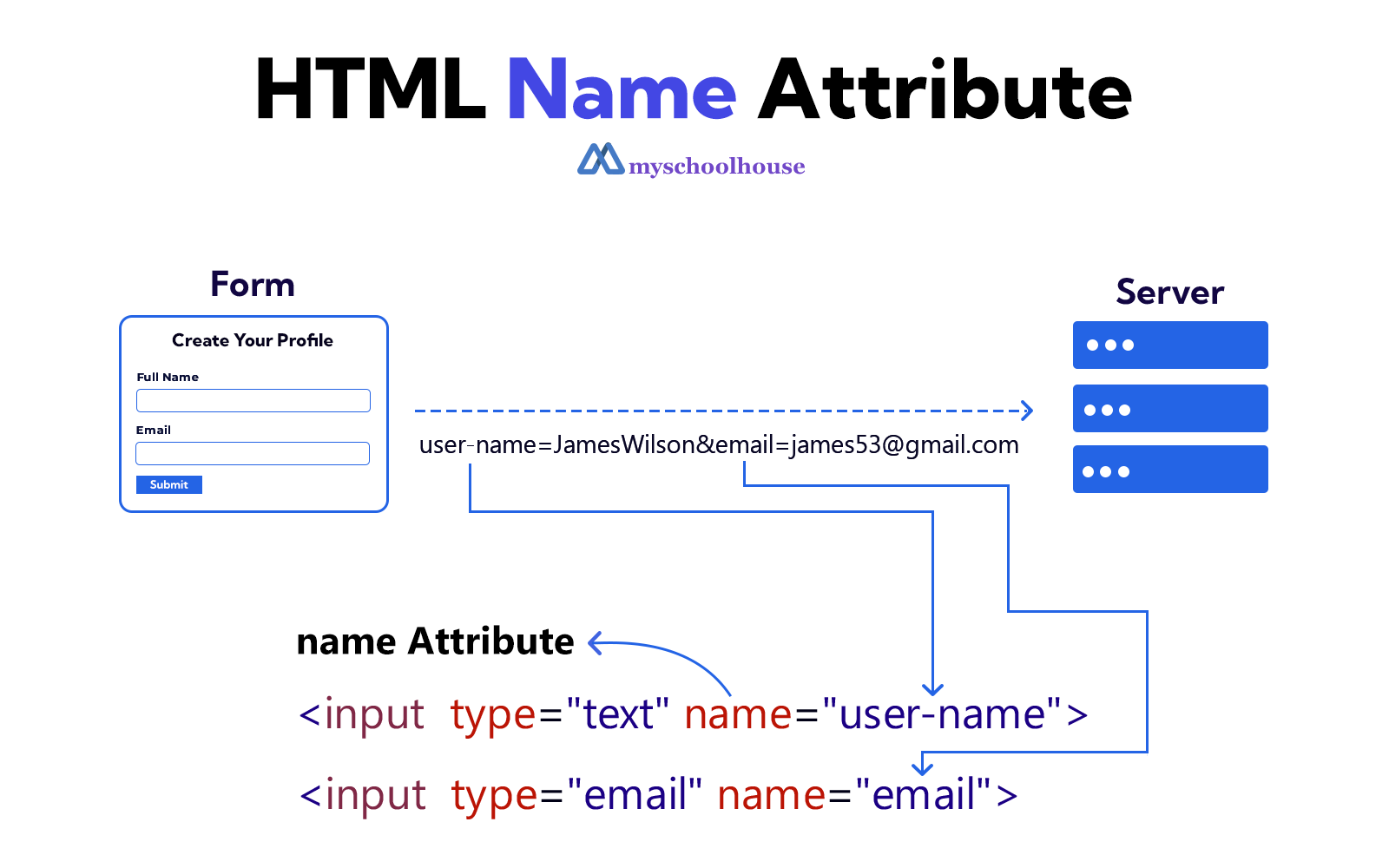
An important attribute of an HTML form control is the name attribute. This name attribute provides the name of the form control. If you use the name attribute, the value cannot be given as an empty string ("").
During Form Submission, the value of the name attribute is sent to the server along with the form's data. After that, on the server, using a server-side language (PHP, Python, Node.js, Java), the form's data is received based on the value of that name attribute.
Example
<!DOCTYPE html>
<html lang="en">
<head>
    <meta charset="UTF-8">
    <meta name="viewport" content="width=device-width, initial-scale=1.0">
    <title>Document</title>
</head>
<body>
    <h3>Create Your Profile</h3>
    <form action="" method="get">
        <label for="full-name">Full Name</label>
        <input type="text" id="full-name" name="user-name">
        <br><br>
        <label for="user-email">Email</label>
        <input type="email" id="user-email" name="email">
        <br><br>
        <label for="user-address">Address</label>
        <input type="text" id="user-address" name="address">
        <br><br>
        <input type="submit" value="Submit">
    </form>
</body>
</html>