
HTML Meter Element
This <meter> element indicates the current situation of a particular subject. This element operates within a known range, and its color changes based on the current situation of that range. Several special attributes are used in this element. These attributes are value, min, max, low, high, and optimum.
value Attribute
This attribute indicates the element's current situation.
min Attribute
This attribute indicates the lower range of the element.
max Attribute
This attribute indicates the element's upper range.
low Attribute
This attribute indicates the end point of the element's lower range.
high Attribute
This attribute indicates the end point of the element's high range.
optimum Attribute
This attribute indicates the exact state of the element.
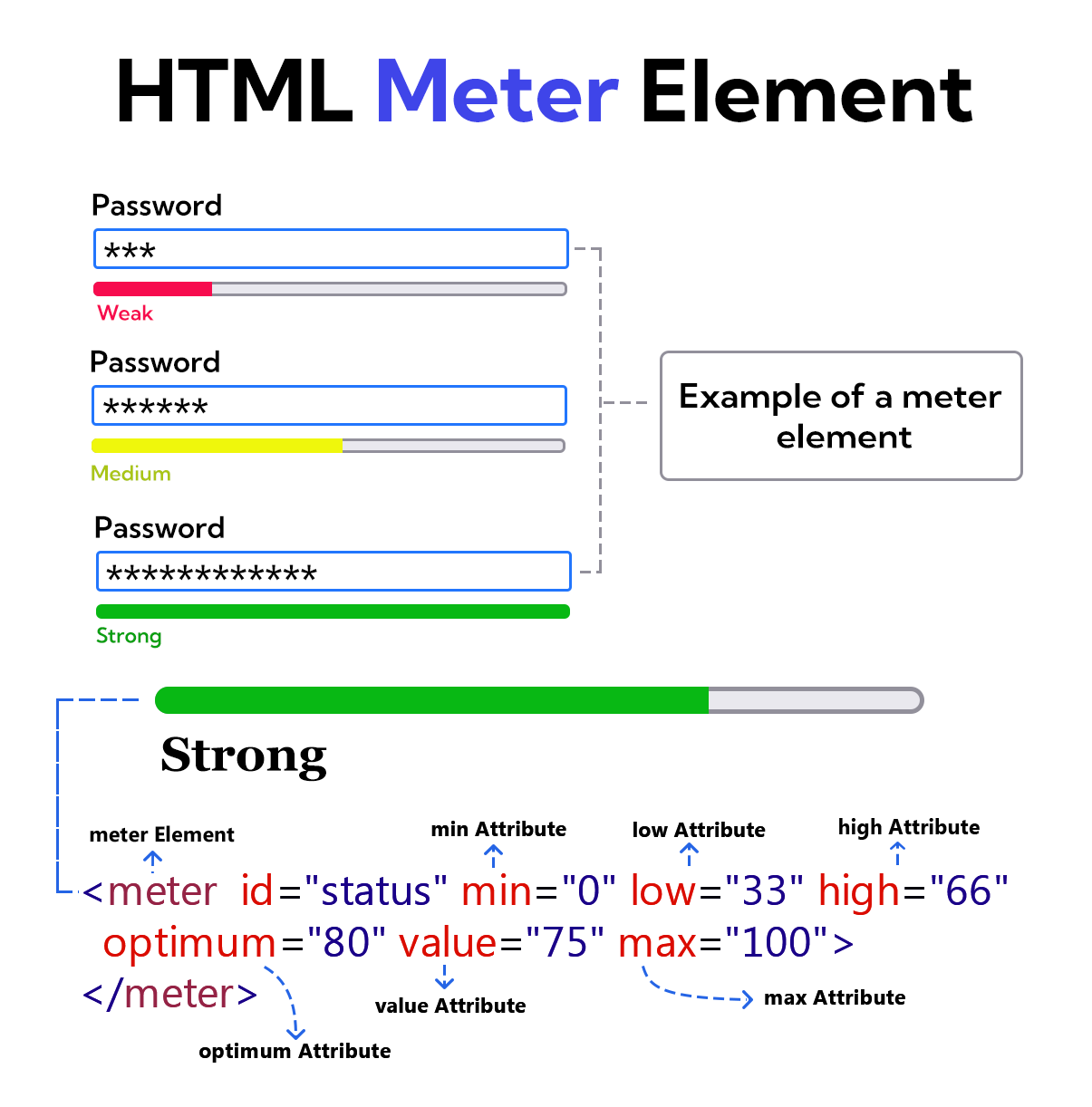
Example
<!DOCTYPE html>
<html lang="en">
<head>
    <meta charset="UTF-8">
    <meta name="viewport" content="width=device-width, initial-scale=1.0">
    <title>Document</title>
    <style>
    .meter-elm{
       width: 250px;
    }
    </style>
</head>
<body>
    <form>
        <label for="user-password">Password</label>
        <input type="password" id="user-password">
        <br>
        <br>
        <meter id="status" class="meter-elm" min="0" max="100" low="33" high="66" optimum="80" value="75"></meter><br>
        <label for="status">Strong</label>
    </form>
</body>
</html>