
Multiple Attribute
The multiple attribute helps the user select one or more values. It is a boolean attribute. This attribute is most commonly used on the file and email input types and the <select> element.
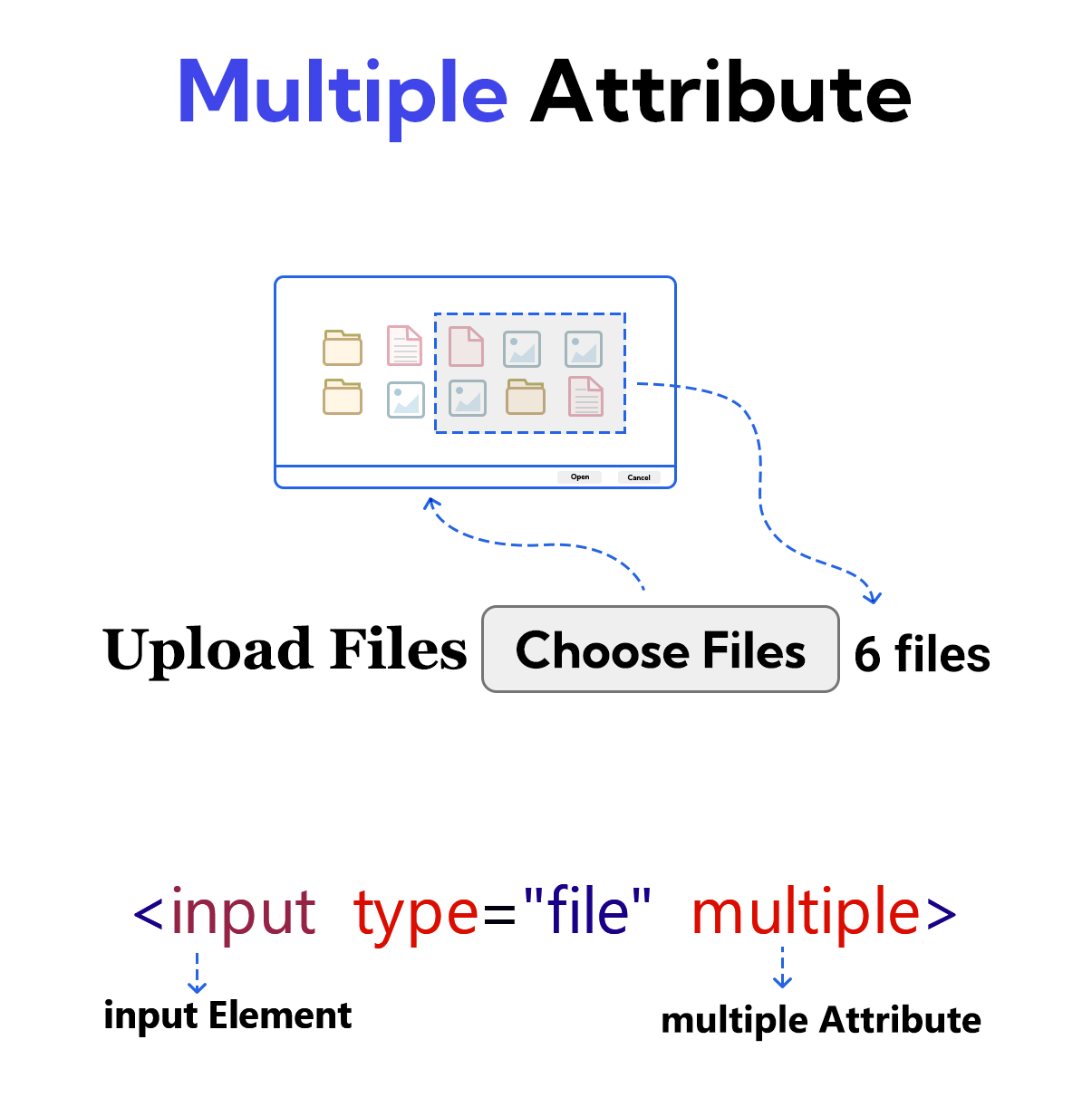
Use of the multiple attribute in file input
If the file input has the multiple attribute set, the user can select multiple files by holding down Shift or Ctrl.
Example
<!DOCTYPE html>
<html lang="en">
<head>
    <meta charset="UTF-8">
    <meta name="viewport" content="width=device-width, initial-scale=1.0">
    <title>Document</title>
</head>
<body>
    <form>
        <label for="user-file">Upload Files</label>
        <input type="file" id="user-file" multiple>
        <br><br>
        <input type="submit" value="Submit">
    </form>
</body>
</html>
Use of the multiple attribute in email input
If the multiple attribute is present on an email input, the user can provide multiple email addresses in a single input element by using commas (,).
Example
<!DOCTYPE html>
<html lang="en">
<head>
    <meta charset="UTF-8">
    <meta name="viewport" content="width=device-width, initial-scale=1.0">
    <title>Document</title>
</head>
<body>
    <form>
        <label for="emails">Email Address</label>
        <input type="email" id="emails" size="55" list="list-emails" multiple>
            <datalist id="list-emails">
            <option value="oliver5@gmail.com">Oliver</option>
            <option value="emily91@gmail.com">Emily</option>
            <option value="william7@gmail.com">William</option>
            <option value="sam8@gmail.com">Sam</option>
            <option value="jon59@gmail.com">Jon</option>
            </datalist>
        <br><br>
        <input type="submit" value="Submit">
    </form>
</body>
</html>
Use of the multiple attribute in select element
The multiple attribute on the select element displays a different kind of list. Users can select multiple options from this list.
Example
<!DOCTYPE html>
<html lang="en">
<head>
    <meta charset="UTF-8">
    <meta name="viewport" content="width=device-width, initial-scale=1.0">
    <title>Document</title>
</head>
<body>
    <form>
        <label for="pro-lan">Programming Language</label>
        <select id="pro-lan" multiple>
            <option value="javascript">JavaScript</option>
            <option value="python">Python</option>
            <option value="java">Java</option>
            <option value="c++">C++</option>
            <option value="php">PHP</option>
        </select>
        <br><br>
        <input type="submit" value="Submit">
    </form>
</body>
</html>