
Accept Attribute
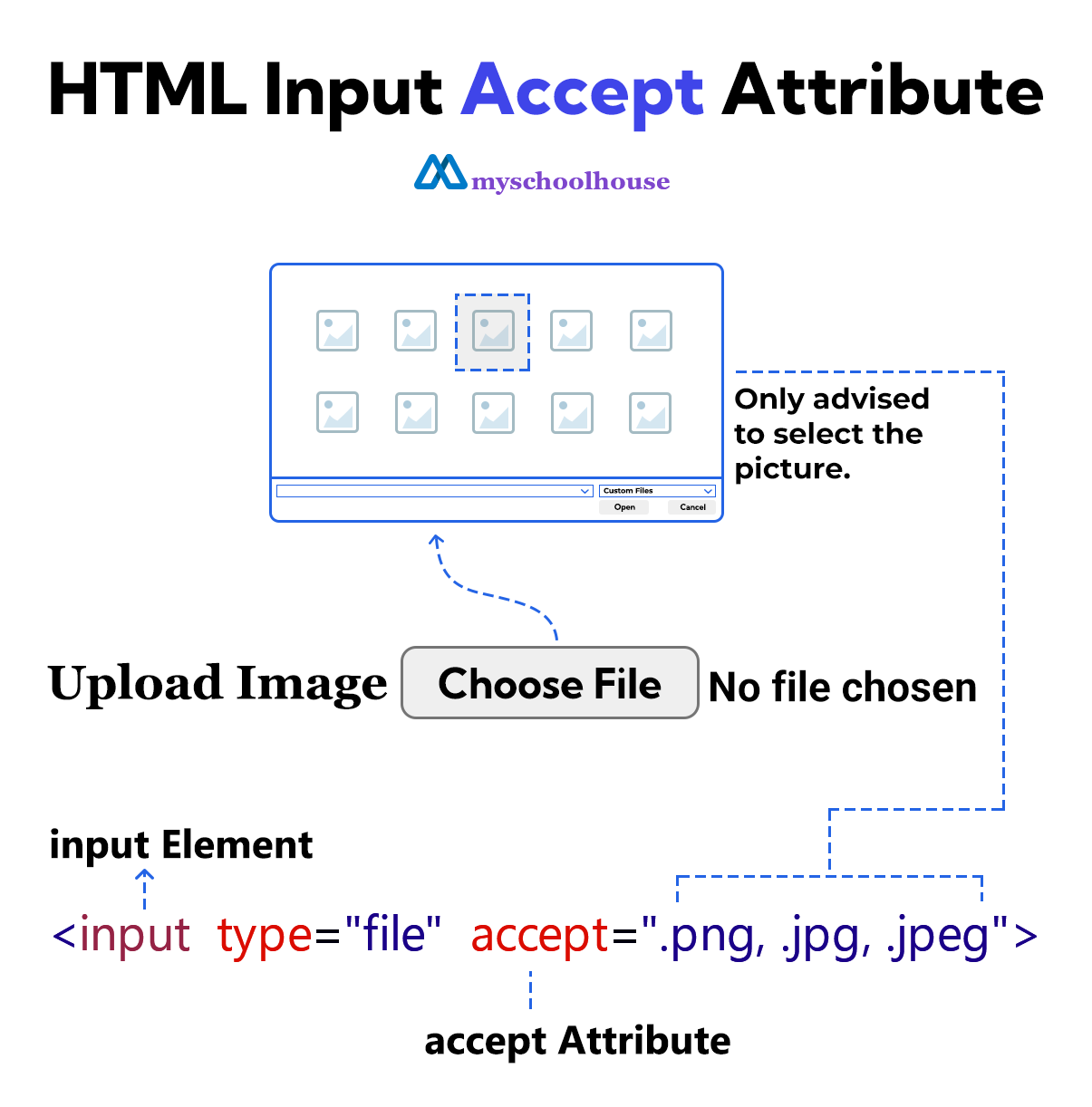
The accept attribute is used to indicate to the user which type of file the <input> element will accept. This accept attribute only helps the user select the correct file. However, the user can select any type of file ignoring this restriction.
The values of the accept attribute are separated by commas(,). These values are set in three formats. These formats are File Extension, MIME Type, and Wildcard MIME Type.
The input type to which the accept attribute applies is file.
Example
<!DOCTYPE html>
<html lang="en">
<head>
    <meta charset="UTF-8">
    <meta name="viewport" content="width=device-width, initial-scale=1.0">
    <title>Document</title>
</head>
<body>
    <form>
        <label for="upload-image">Upload Image</label>
        <input type="file" id="upload-image" accept=".png, .jpg, .jpeg">

        <br><br>
        <input type="submit" value="Submit">
    </form>
</body>
</html>
File Extension
This format is indicated by the file extension. An example of this is accept=".png, .jpg, .jpeg".
Example
<!DOCTYPE html>
<html lang="en">
<head>
    <meta charset="UTF-8">
    <meta name="viewport" content="width=device-width, initial-scale=1.0">
    <title>Document</title>
</head>
<body>
    <form>
        <label for="upload-image">Upload Image</label>
        <input type="file" id="upload-image" accept=".png, .jpg, .jpeg">

        <br><br>
        <input type="submit" value="Submit">
    </form>
</body>
</html>
MIME Type
This format specifies MIME types. An example of this is accept="image/png, image/jpeg".
Example
<!DOCTYPE html>
<html lang="en">
<head>
    <meta charset="UTF-8">
    <meta name="viewport" content="width=device-width, initial-scale=1.0">
    <title>Document</title>
</head>
<body>
    <form>
        <label for="upload-image">Upload Image</label>
        <input type="file" id="upload-image" accept="image/png, image/jpeg">

        <br><br>
        <input type="submit" value="Submit">
    </form>
</body>
</html>
Wildcard MIME Type
This format refers to all types of files included in a specific media type. These examples are:
- image/* this string refers to all types of image
- audio/* this string refers to all types of audio
- video/* this string refers to all types of video
Example
<!DOCTYPE html>
<html lang="en">
<head>
    <meta charset="UTF-8">
    <meta name="viewport" content="width=device-width, initial-scale=1.0">
    <title>Document</title>
</head>
<body>
    <form>
        <label for="upload-image">Upload Image</label>
        <input type="file" id="upload-image" accept="image/*">
        <br><br>

        <label for="upload-audio">Upload Audio</label>
        <input type="file" id="upload-audio" accept="audio/*">
        <br><br>

        <label for="upload-video">Upload Video</label>
        <input type="file" id="upload-video" accept="video/*"><br>

        <br><br>
        <input type="submit" value="Submit">
    </form>
</body>
</html>