
Autocomplete Attribute
The autocomplete attribute instructs the browser to display previously used information as suggestions in the input field. But how the suggestion data is displayed will be entirely governed by each browser's own rules.
The value of the autocomplete attribute is set according to three rules: "on", "off" and autofill detail tokens.
The <input> types that support the autocomplete attribute are hidden, text, search, tel, url, email, password, date, month, week, time, datetime-local, number, range, color.
Note: The autocomplete attribute instructs the browser to show suggestion, but whether the suggestions is actually displayed depends on the browser's behavior and settings.
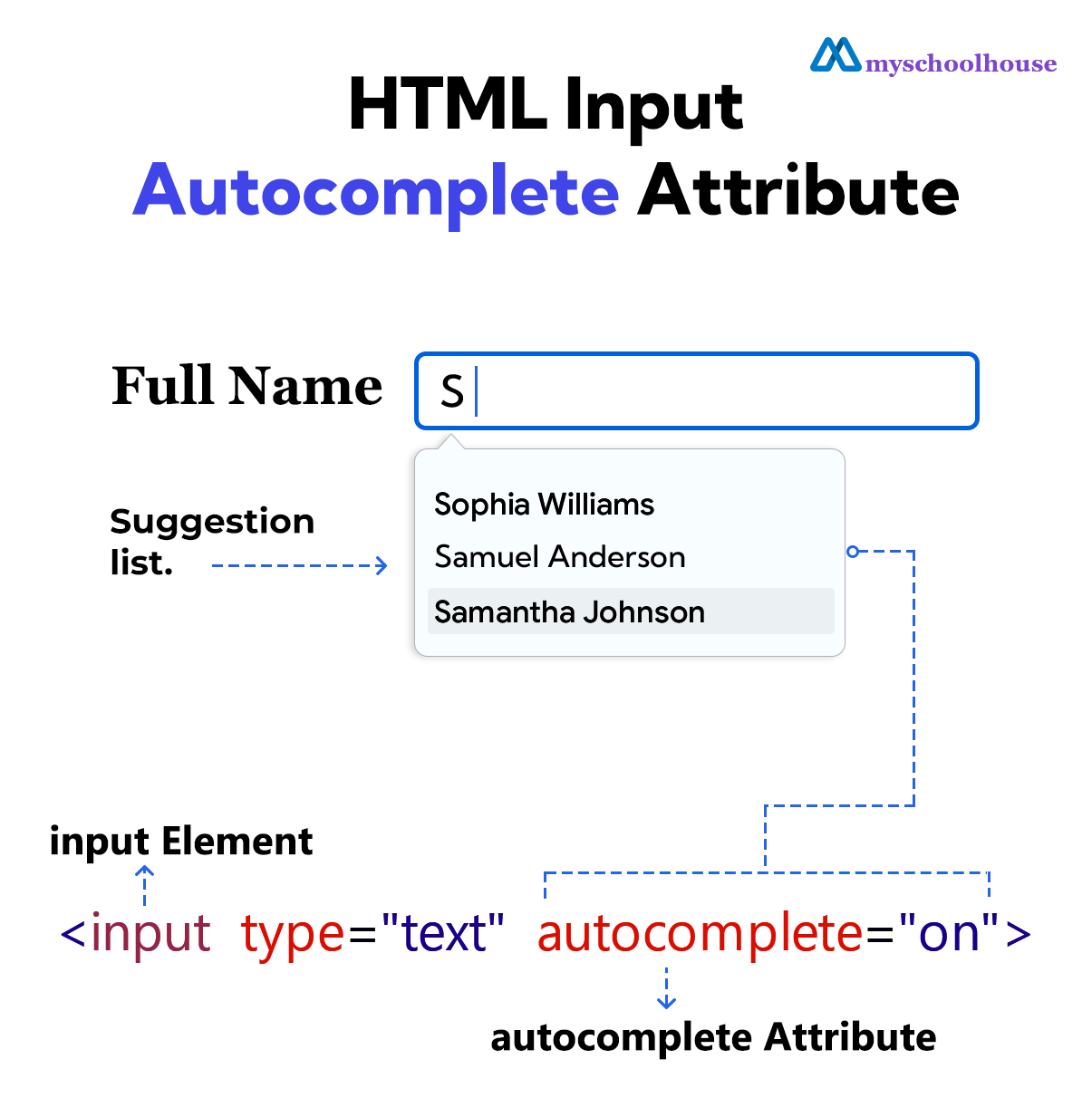
Example
<!DOCTYPE html>
<html lang="en">
<head>
    <meta charset="UTF-8">
    <meta name="viewport" content="width=device-width, initial-scale=1.0">
    <title>Document</title>
</head>
<body>
    <form>
        <label for="full-name">Full Name</label>
        <input type="text" id="full-name" autocomplete="on">
        <br><br>
        <input type="submit" value="Submit">
    </form>
</body>
</html>
autocomplete="on"
The browser has been instructed to turn on autofill.
Example
<!DOCTYPE html>
<html lang="en">
<head>
    <meta charset="UTF-8">
    <meta name="viewport" content="width=device-width, initial-scale=1.0">
    <title>Document</title>
</head>
<body>
    <form>
        <label for="full-name">Full Name</label>
        <input type="text" id="full-name" autocomplete="on">
        <br><br>
        <input type="submit" value="Submit">
    </form>
</body>
</html>
autocomplete="off"
The browser has been instructed to turn off autofill.
Example
<!DOCTYPE html>
<html lang="en">
<head>
    <meta charset="UTF-8">
    <meta name="viewport" content="width=device-width, initial-scale=1.0">
    <title>Document</title>
</head>
<body>
    <form>
        <label for="full-name">Full Name</label>
        <input type="text" id="full-name" autocomplete="off">
        <br><br>
        <input type="submit" value="Submit">
    </form>
</body>
</html>
Autofill Detail Tokens
Autofill detail tokens instruct the browser which type of data to show in the suggestion.
The autofill detail tokens are
- "name"
- "honorific-prefix"
- "given-name"
- "additional-name"
- "family-name"
- "honorific-suffix"
- "nickname"
- "organization-title"
- "username""new-password"
- "current-password"
- "one-time-code"
- "organization"
- "street-address"
- "address-line1"
- "address-line2"
- "address-line3"
- "address-level4"
- "address-level3"
- "address-level2"
- "address-level1"
- "country"
- "country-name"
- "postal-code"
- "cc-name"
- "cc-given-name"
- "cc-additional-name"
- "cc-family-name"
- "cc-number"
- "cc-exp"
- "cc-exp-month"
- "cc-exp-year"
- "cc-csc"
- "cc-type"
- "transaction-currency"
- "transaction-amount"
- "language"
- "bday"
- "bday-day"
- "bday-month"
- "bday-year"
- "sex"
- "url"
- "photo"
- "tel"
- "tel-country-code"
- "tel-national"
- "tel-area-code"
- "tel-local"
- "tel-local-prefix"
- "tel-local-suffix"
- "tel-extension"
- "email"
- "impp"
- "webauthn"
Example
<!DOCTYPE html>
<html lang="en">
<head>
    <meta charset="UTF-8">
    <meta name="viewport" content="width=device-width, initial-scale=1.0">
    <title>Document</title>
</head>
<body>
    <form>
        <label for="full-name">Full Name</label>
        <input type="text" id="full-name" autocomplete="name">
        <br><br>
        <input type="submit" value="Submit">
    </form>
</body>
</html>