
HTML Textarea Element
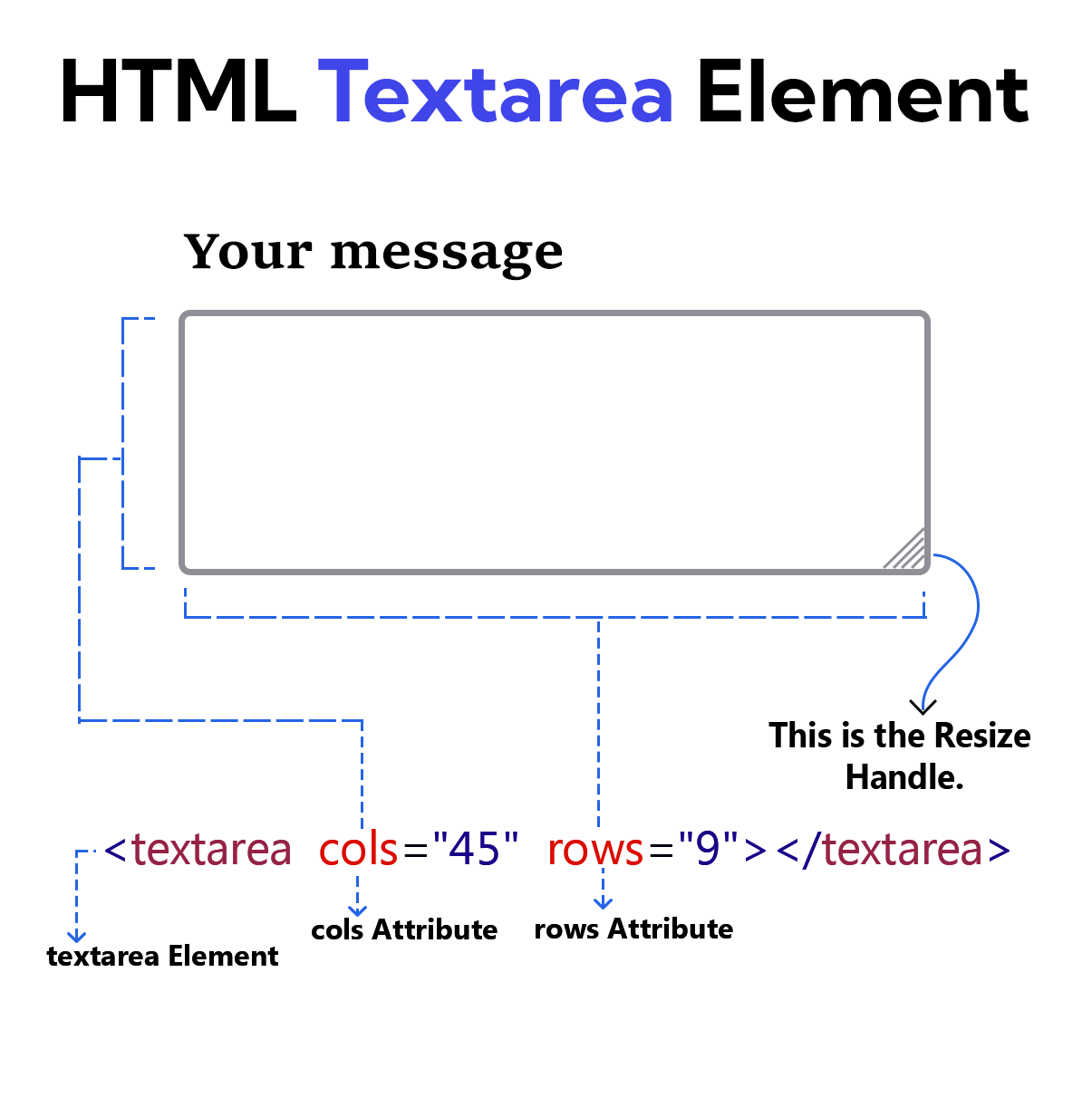
The <textarea> element provides a control for writing multiple lines of text in a simple format. The user can insert line breaks and adjust the box size when writing text.
Two attributes are used to control the size of this elemen. These attributes are rows and cols.
rows Attribute
The rows attribute makes the <textarea> element smaller and larger vertically.
cols Attribute
The cols attribute makes the <textarea> element smaller and larger horizontally.
Example
<!DOCTYPE html>
<html lang="en">
<head>
    <meta charset="UTF-8">
    <meta name="viewport" content="width=device-width, initial-scale=1.0">
    <title>Document</title>
</head>
<body>
    <form>
        <label for="msg">Your message</label><br><br>
        <textarea id="msg" rows="9" cols="45"></textarea>
        <br><br>

        <button type="submit" >Submit</button>
    </form>
</body>
</html>
How is data displayed in the textarea element
The value attribute is not used on the <textarea> element. The user's information is placed between the opening and closing tags.
Example
<!DOCTYPE html>
<html lang="en">
<head>
    <meta charset="UTF-8">
    <meta name="viewport" content="width=device-width, initial-scale=1.0">
    <title>Document</title>
</head>
<body>
    <form>
        <label for="msg">Your message</label><br><br>
        <textarea id="msg" rows="9" cols="45">User information is displayed like this inside a textarea element.</textarea>
        <br><br>

        <button type="submit">Submit</button>
    </form>
</body>
</html>
spellcheck Attribute
This spellcheck attribute is used to prevent spelling errors. This attribute accepts true and false. If set to true, it checks spelling, and if set to false, it disables spelling errors.
Example
<!DOCTYPE html>
<html lang="en">
<head>
    <meta charset="UTF-8">
    <meta name="viewport" content="width=device-width, initial-scale=1.0">
    <title>Document</title>

</head>
<body>
    <form>
        <label for="msg">Your message</label><br><br>
        <textarea id="msg" rows="9" cols="45" spellcheck="true">The spelling (flawars) is incorrect, yet no red error indicators are appearing.</textarea>
        <br><br>

        <button type="submit" >Submit</button>
    </form>
</body>
</html>