
HTML Select Element
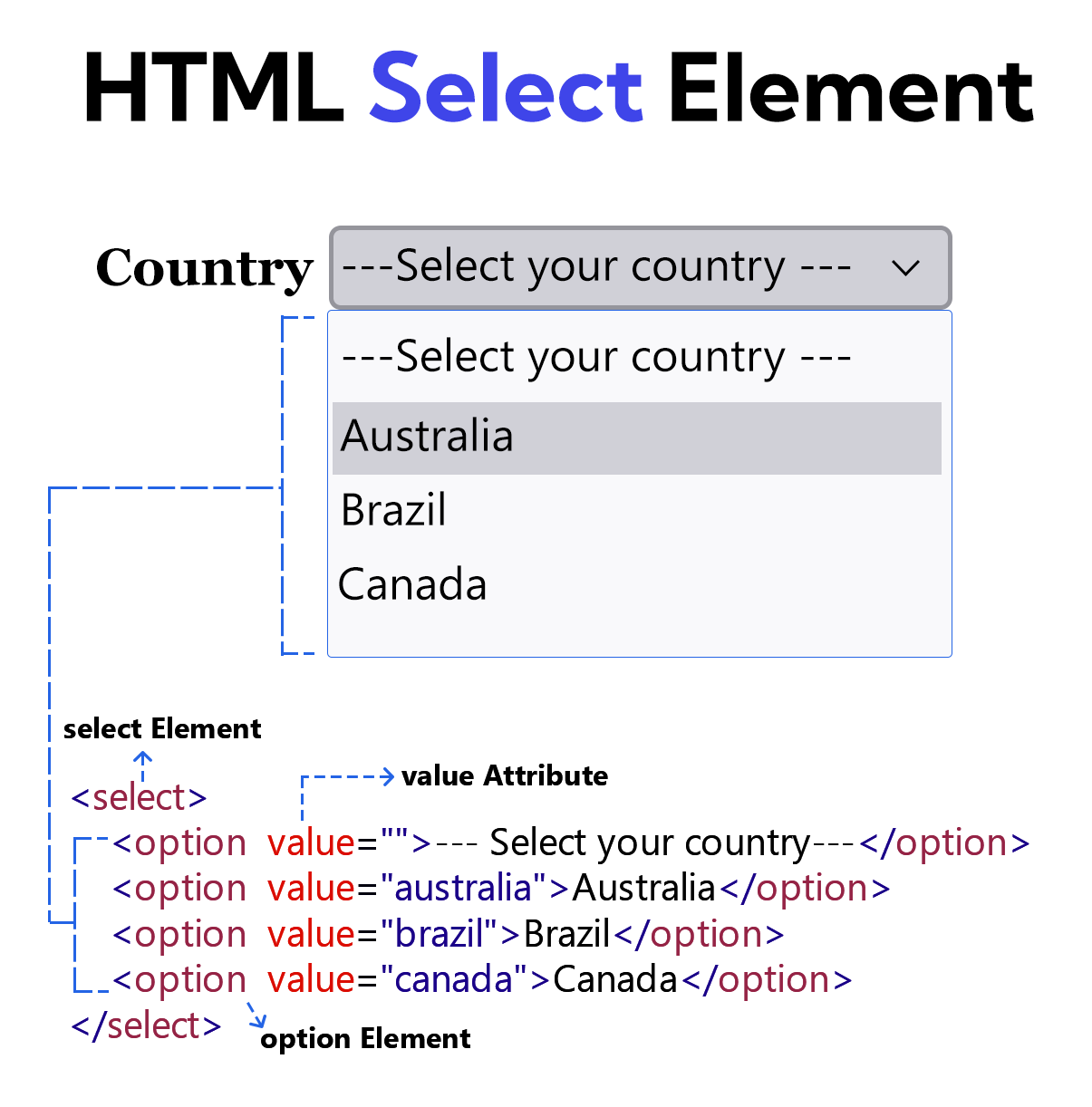
The <select> element allows the user to choose a specific option from among many options.
Many <option> elements are used inside the <select> element. A value attribute must be provided for each <option> element. The value of this attribute is sent to the server.
The attribute value of the first <option> element inside the <select> element is left empty, and this element is displayed as a placeholder.
Example
<!DOCTYPE html>
<html lang="en">
<head>
    <meta charset="UTF-8">
    <meta name="viewport" content="width=device-width, initial-scale=1.0">
    <title>Document</title>
</head>
<body>
    <form>
        <label for="country">Country</label>
        <select id="country">
            <option value="">--- Select your country ---</option>
            <option value="australia">Australia</option>
            <option value="brazil">Brazil</option>
            <option value="canada">Canada</option>
        </select> <br><br>

        <button type="submit" >Submit</button>
    </form>
</body>
</html>
Optgroup Element
The <optgroup> element is used to group the <option> elements within a <select> element.
To display a label for the <optgroup> element, you must include the label attribute within that element.
Example
<!DOCTYPE html>
<html lang="en">
<head>
    <meta charset="UTF-8">
    <meta name="viewport" content="width=device-width, initial-scale=1.0">
    <title>Document</title>
</head>
<body>
    <form>
        <label for="country">Country</label>
        <select id="country">
          <option value="">--- Select your country ---</option>

          <optgroup label="Asia">
              <option value="india">India</option>
              <option value="japan">Japan</option>
              <option value="china">China</option>
          </optgroup>

          <optgroup label="Europe">
              <option value="germany">Germany</option>
              <option value="france">France</option>
              <option value="italy">Italy</option>
          </optgroup>

          <optgroup label="North America">
              <option value="canada">Canada</option>
              <option value="united-states">United States</option>
              <option value="mexico">Mexico</option>
          </optgroup>

       </select> <br><br>

        <button type="submit" >Submit</button>
    </form>
</body>
</html>