
HTML Form Method Attribute
HTML Form data is sent to the server through the HTTP (Hypertext Transfer Protocol) Method. This HTTP Request has two important methods - HTTP GET method and HTTP POST method.
The method attribute is used to specify which method the data from an HTML form will be sent to the server. Three types of keywords are used in this attribute get, post, and dialog.
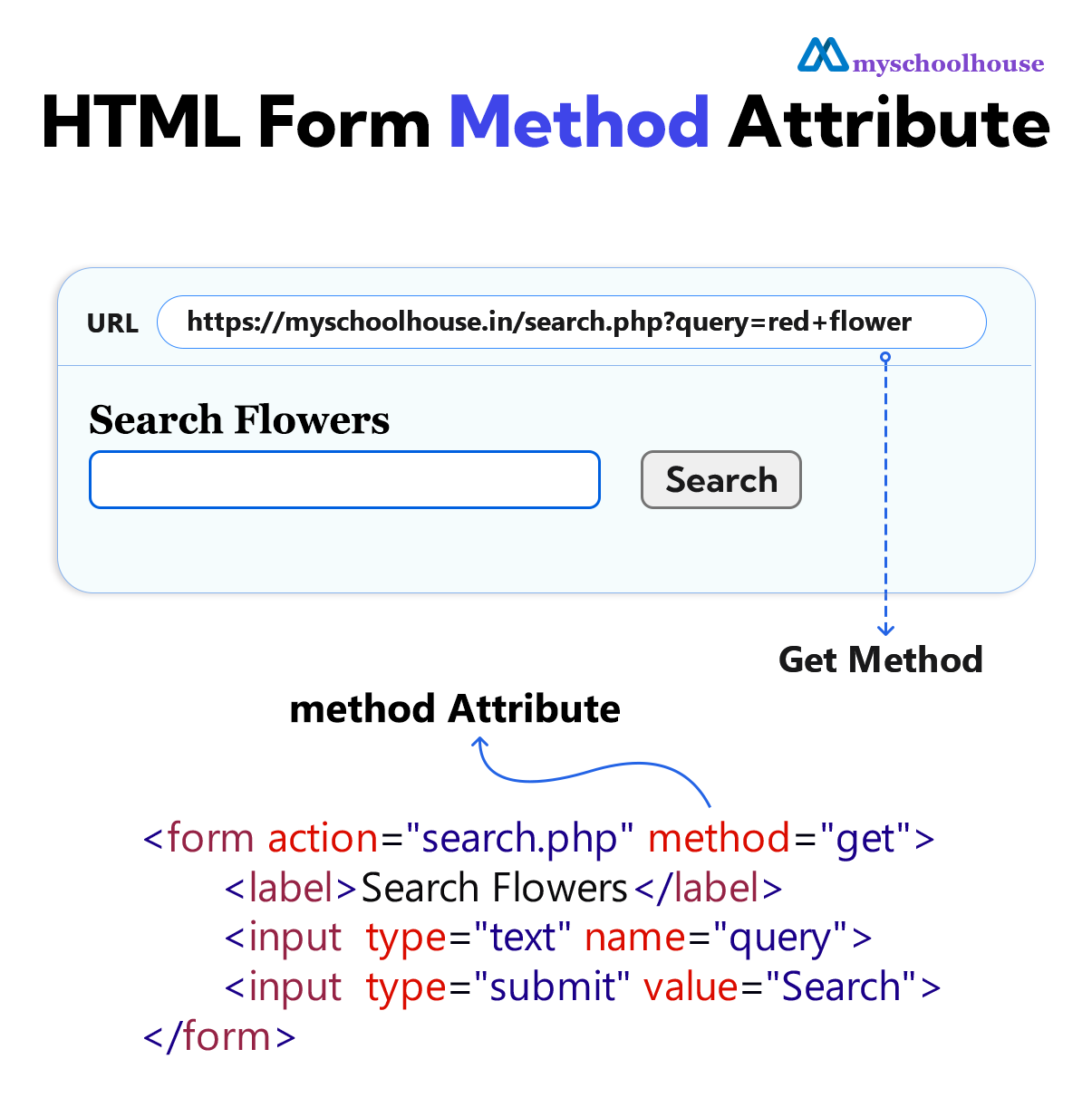
Example
<!DOCTYPE html>
<html lang="en">
<head>
    <meta charset="UTF-8">
    <meta name="viewport" content="width=device-width, initial-scale=1.0">
    <title>Document</title>
</head>
<body>
    <h3>HTML Form Method Attribute</h3>
    <form action="search.php" method="get">
        <label for="sea-name">Search Flowers</label>
        <br>
        <input type="text" id="sea-name" name="query">
        <input type="submit" value="Search">
    </form>
</body>
</html>
GET Method
The get method is used to send data to the server. In this method, the data reaches the server through the URL.
The data of the get method can be seen in the URL, so no secret information or password is sent through it.
If the HTML form does not have a method attribute, the browser uses the GET method by default to send the data of the HTML form to the server.
Example
<!DOCTYPE html>
<html lang="en">
<head>
    <meta charset="UTF-8">
    <meta name="viewport" content="width=device-width, initial-scale=1.0">
    <title>Document</title>
</head>
<body>
    <h3>HTML Form Get Method Attribute</h3>
    <form action="search.php" method="get">
        <label for="sea-name">Search Flowers</label>
        <br>
        <input type="text" id="sea-name" name="query">
        <input type="submit" value="Search">
    </form>
</body>
</html>
POST Method
Through the post method, the data of the HTML form gets added to the body of the HTTP Request, and the complete HTTP request reaches the server.
Example
<!DOCTYPE html>
<html lang="en">
<head>
    <meta charset="UTF-8">
    <meta name="viewport" content="width=device-width, initial-scale=1.0">
    <title>Document</title>
</head>
<body>
    <h3>Login</h3>
    <form action="login.php" method="post">
        <label for="username">Username</label>
        <input type="text" id="username" name="username">
        <br>
        <br>
        <label for="user-password">Password</label>
        <input type="text" id="user-password" name="user-password">
        <br>
        <br>
        <input type="submit" value="Login">
    </form>
    <p>The POST method has been used here.</p>
</body>
</html>