
Input Type Radio Button
Several options will be visible and among these options the user will select only one specific option. In this case, input type="radio" is used.
In the form of several circles in a group, the radio button indicates a set of options that are related to each other. In this group, only one button can be selected at the same time, and the other radio buttons in the group are automatically unselected. After the selection, the button is highlighted.
The value "radio" is used within the type attribute of an HTML input element. This type="radio" attribute changes the input element to a radio button. A group is created using several radio buttons. The value of the name attribute is kept one in the middle of each radio button, so that the radio buttons are connected to each other. Two Boolean attributes can be used in this element, checked and required.
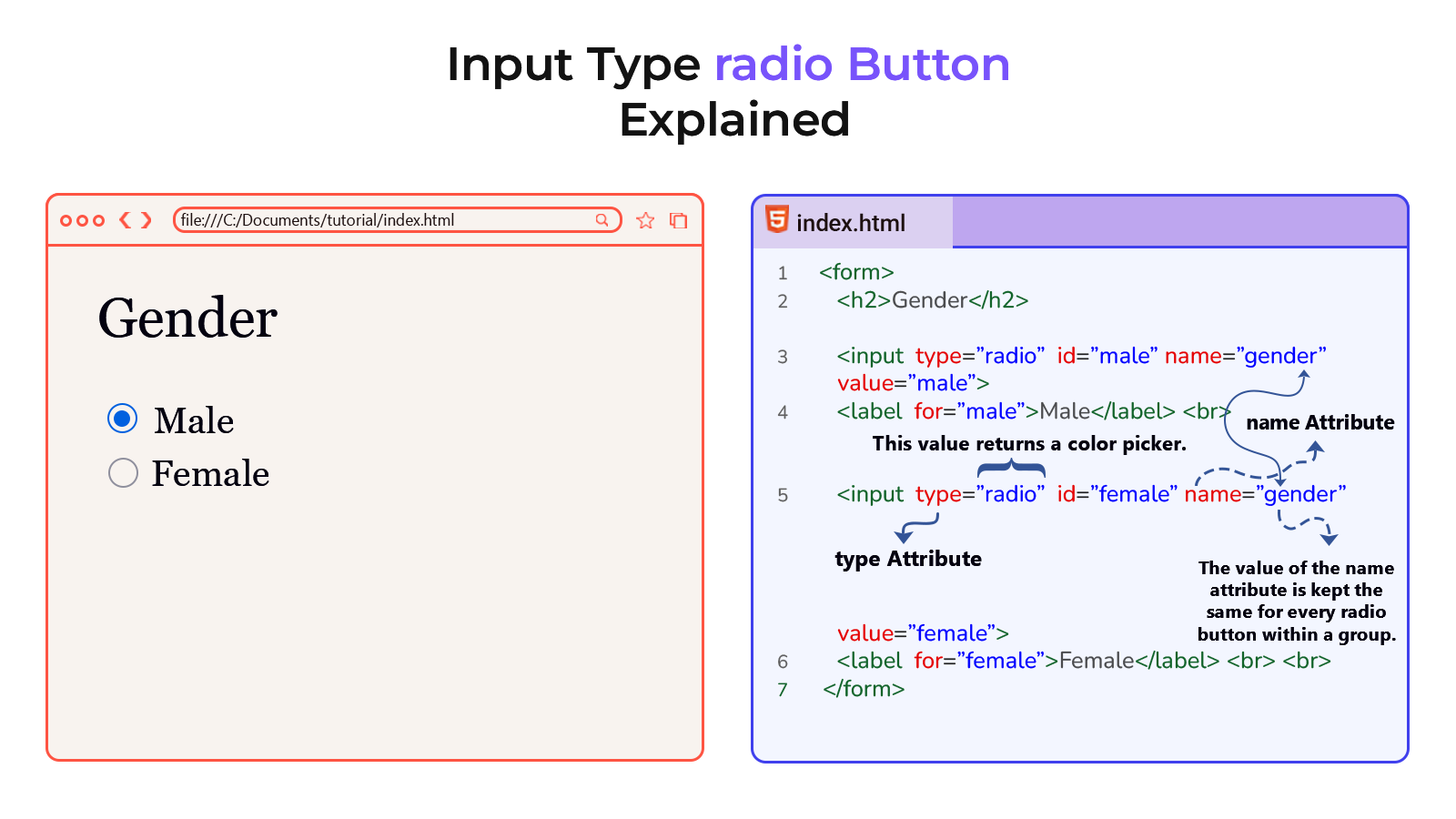
Example
<!DOCTYPE html>
<html lang="en">
<head>
    <meta charset="UTF-8">
    <meta name="viewport" content="width=device-width, initial-scale=1.0">
    <title>Document</title>
</head>
<body>
    <form>
        <h2>Gender</h2>

        <input type="radio" name="gender" id="male" value="male">
        <label for="male">Male</label> <br>

        <input type="radio" name="gender" id="female" value="female">
        <label for="female">Female</label> <br> <br>

        <input type="submit" value="Submit">
    </form>
</body>
</html>